
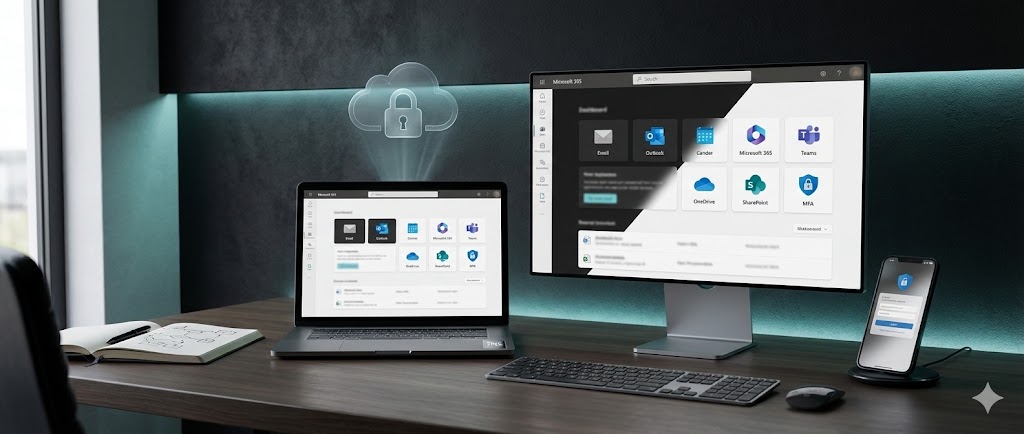
Microsoft 365 & Business Email Setup
We configure Microsoft 365 and business email end-to-end: domain + DNS, mailboxes, security
(MFA + policies), and workplace tools (Teams, OneDrive, SharePoint) ready for daily work and future growth.
- Domain + DNS connection
- Email + Microsoft 365 apps setup
- Security (MFA) + configuration
Business Email Setup
Set up professional mailboxes on your domain with reliable delivery and access.
- Create mailboxes (info@, support@, accounts@)
- Connect domain + MX records (working delivery)
- Set up webmail + Outlook/mobile sign-in
DNS + Email Security (SPF/DKIM/DMARC)
Improve email trust and reduce spam with correct DNS security records(SPF/DKIM/DMARC).
- SPF record setup (authorised senders)
- DKIM signing enabled
- DMARC basic policy + monitoring ready
Microsoft 365 Tenant Setup
Configure your tenant the right way with secure baseline settings and admin roles.
- Create/secure tenant + admin roles
- Add domain + verify
- Core settings + security defaults baseline
Users, Licences & Devices
Create users, assign licences, and connect devices for smooth sign-in and device control.
- Create users + assign licences
- Setup Outlook + Teams + OneDrive on devices
- Multi-device sign-in + basic device checks
Teams + OneDrive File Setup
Organise files and collaboration so your team can share and work easily and safly.
- OneDrive setup + folder structure
- Teams channels + permissions basics
- Share links + access control (internal/external)
Backup + Recovery Basics
Protect accounts and data with recovery options and basic retention planning.
- Mailbox/OneDrive backup option (recommendation + setup)
- Account recovery plan (admin + MFA recovery)
- Basic retention + restore approach
Business Email Setup
Set up professional mailboxes on your domain with reliable delivery and access.
- Create mailboxes (info@, support@, accounts@)
- Connect domain + MX records (working delivery)
- Set up webmail + Outlook/mobile sign-in
DNS + Email Security (SPF/DKIM/DMARC)
Improve email trust and reduce spam with correct DNS security records(SPF/DKIM/DMARC).
- SPF record setup (authorised senders)
- DKIM signing enabled
- DMARC basic policy + monitoring ready
Microsoft 365 Tenant Setup
Configure your tenant the right way with secure baseline settings and admin roles.
- Create/secure tenant + admin roles
- Add domain + verify
- Core settings + security defaults baseline
Users, Licences & Devices
Create users, assign licences, and connect devices for smooth sign-in and device control.
- Create users + assign licences
- Setup Outlook + Teams + OneDrive on devices
- Multi-device sign-in + basic device checks
Teams + OneDrive File Setup
Organise files and collaboration so your team can share and work easily and safly.
- OneDrive setup + folder structure
- Teams channels + permissions basics
- Share links + access control (internal/external)
Backup + Recovery Basics
Protect accounts and data with recovery options and basic retention planning.
- Mailbox/OneDrive backup option (recommendation + setup)
- Account recovery plan (admin + MFA recovery)
- Basic retention + restore approach